
New Booking Confirmed!
Calculus with Sarah M.
Before Lumora
- Calendly for scheduling
- Venmo or Zelle for payment, chased after the fact
- A spreadsheet for student notes
- Texts back and forth to reschedule
With Lumora
- One page handles scheduling and payment together.
- Payment comes in before the session goes on your calendar.
- Student info and past sessions kept for you automatically.
- Reschedule requests arrive in the app, not your texts.
Every part of your practice,
in one place
Manage your entire practice from one place. No tab switching, no stitched-together tools.
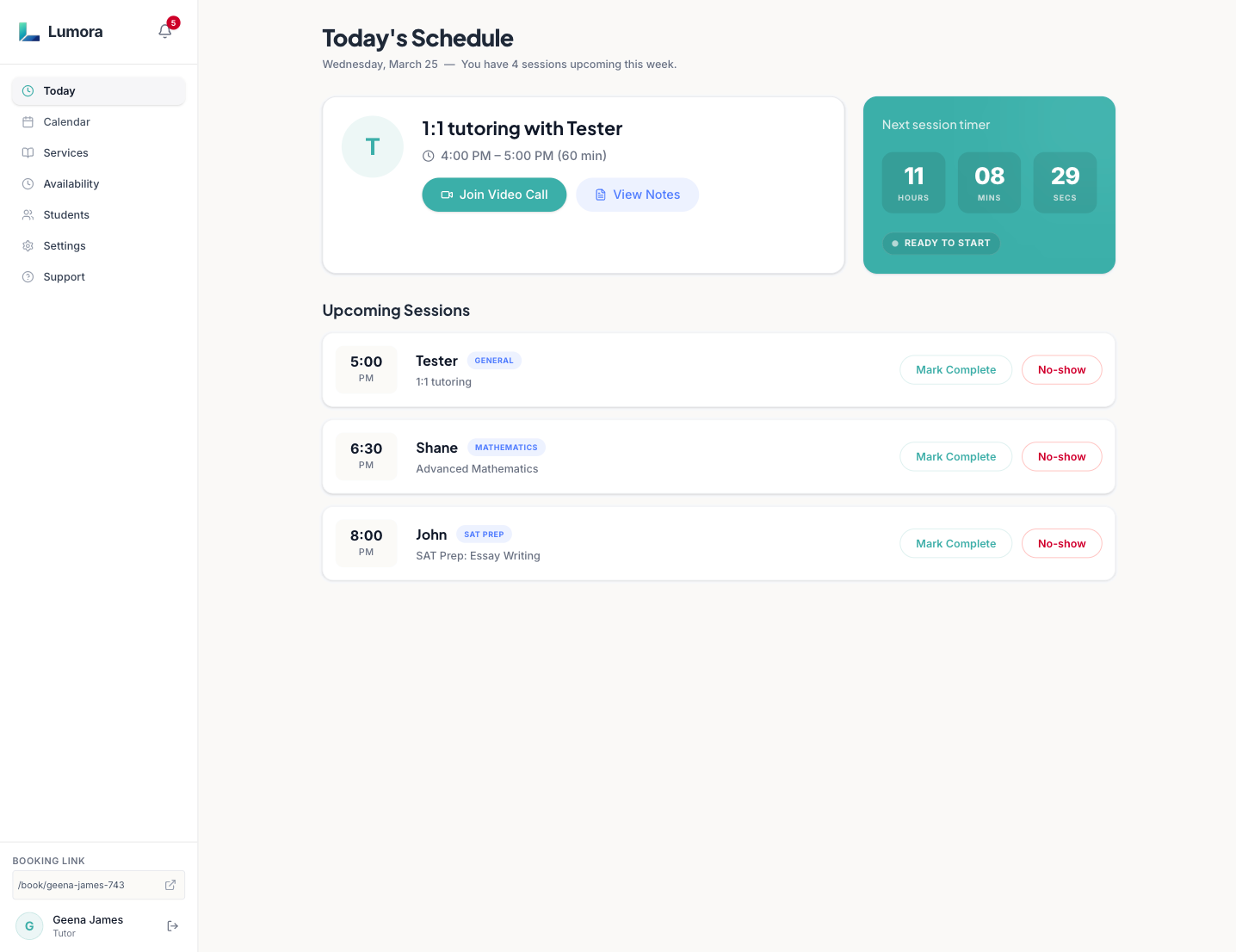
See exactly what your day looks like
Every confirmed session at a glance: who's coming, when, and what subject.
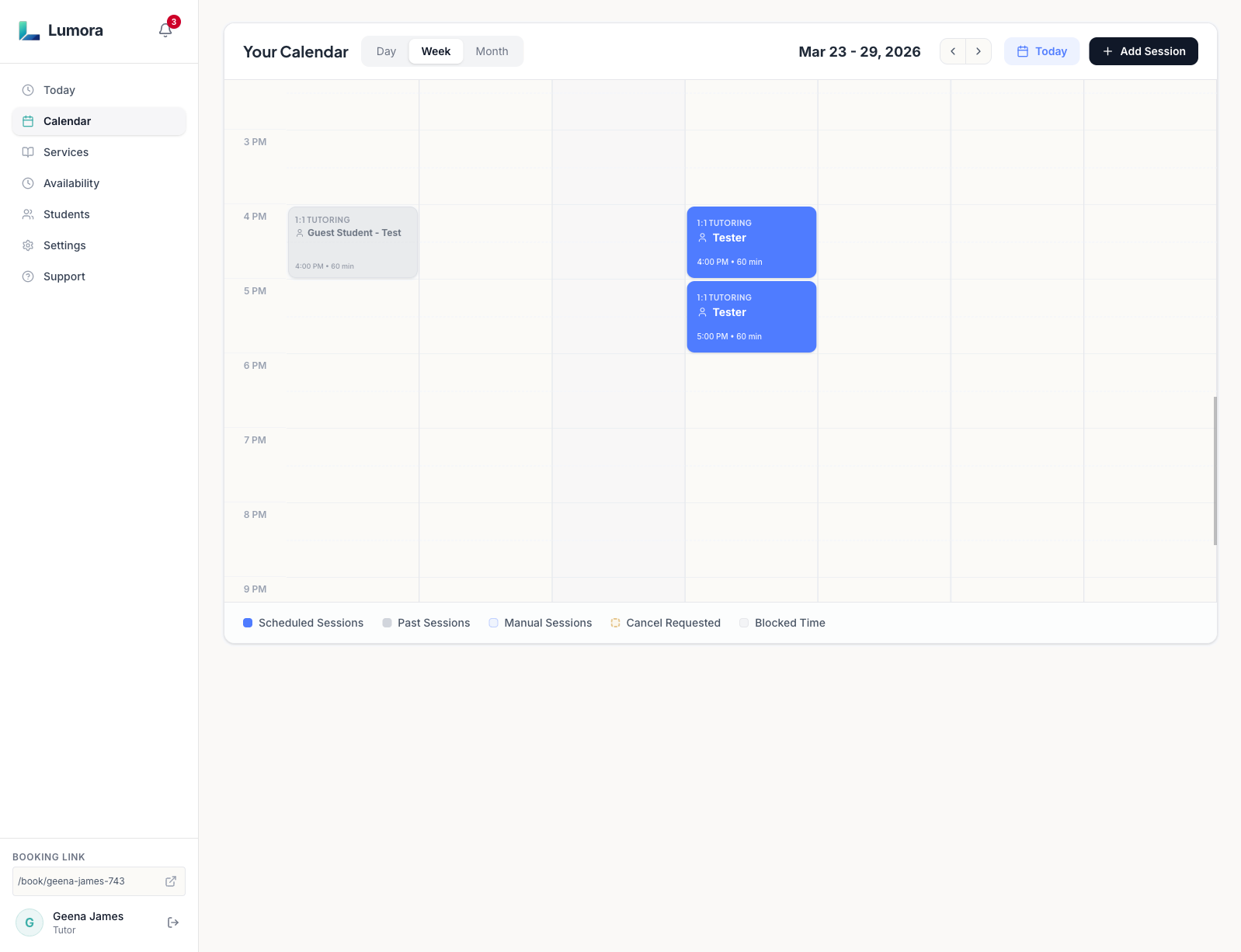
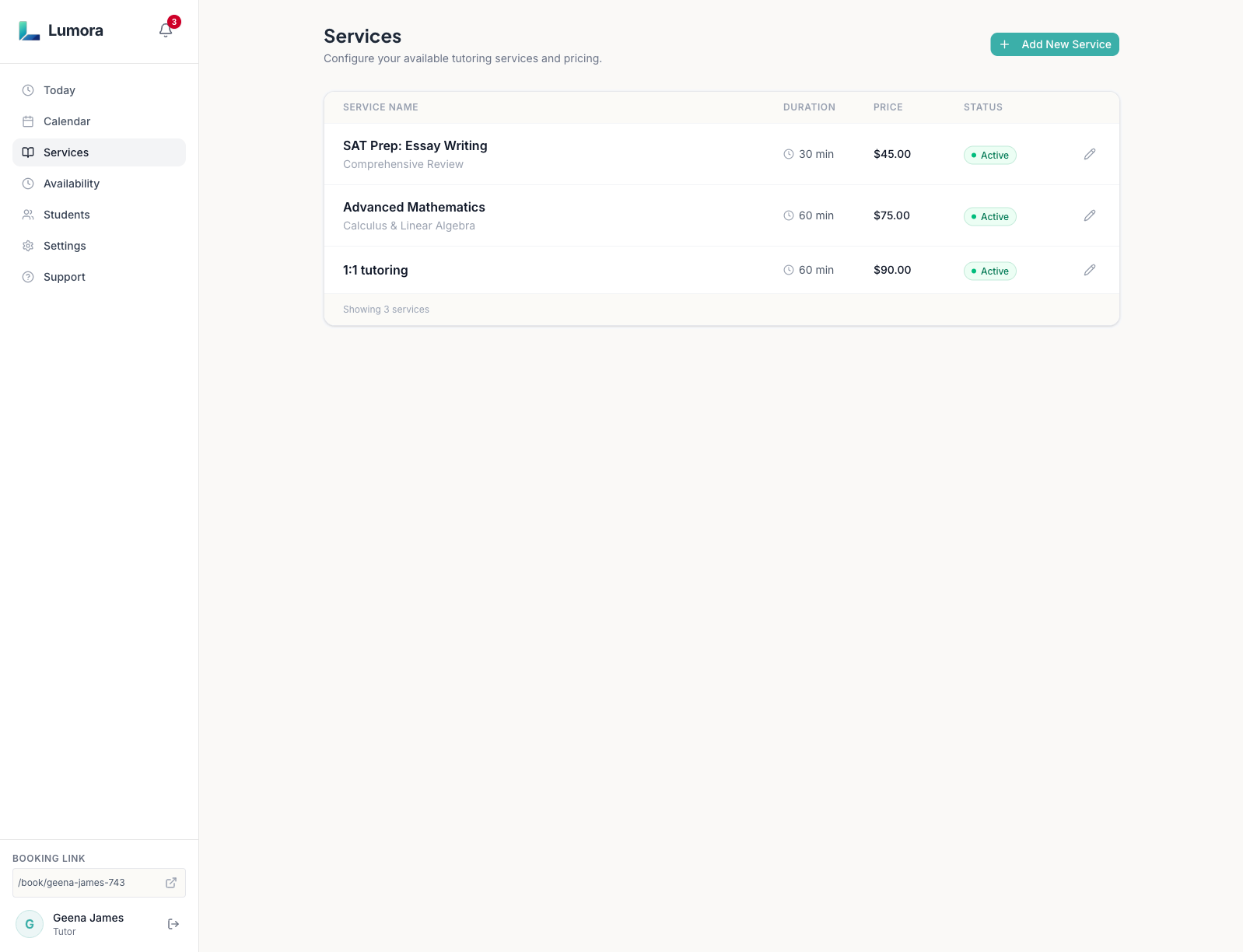
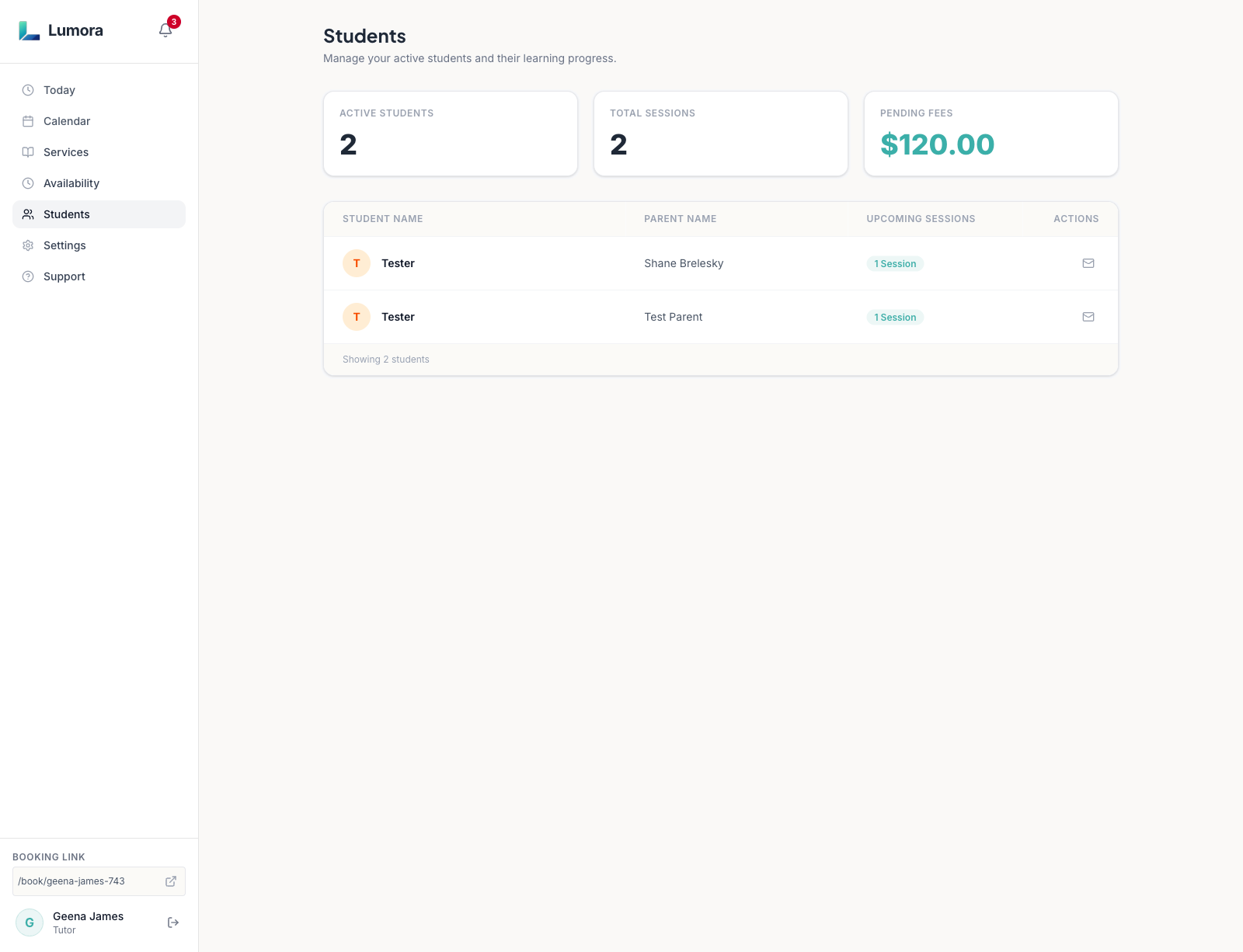
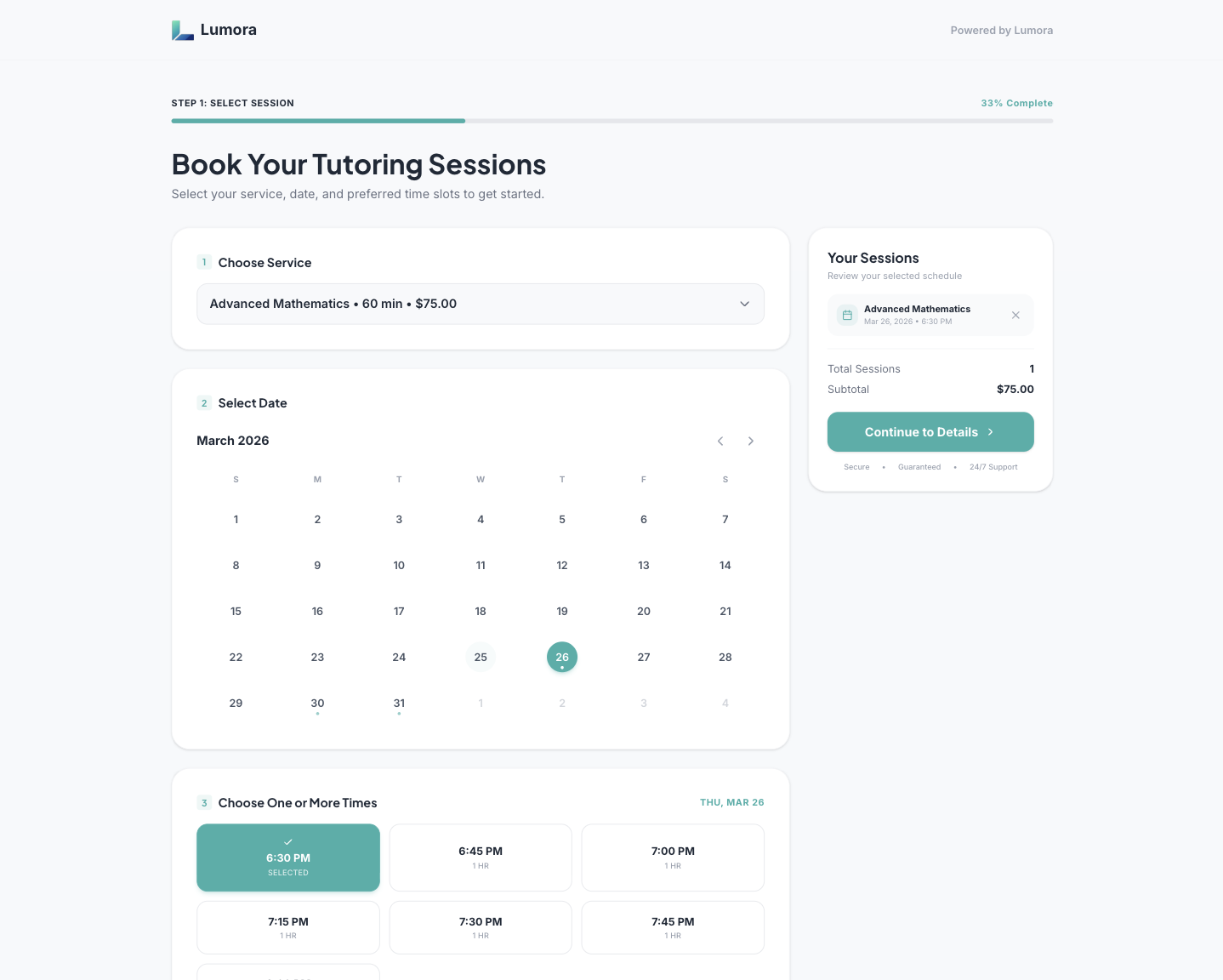
One platform. No tool juggling.
Scheduling, bookings, and payments connected in one place. No management suite complexity, no gaps from a generic scheduler.
No spreadsheets. No Venmo requests. No scheduling back-and-forth.
Your availability, your rules
Set your weekly hours and mark days off. Parents only ever see the time slots you've actually opened.
Your rates, always on your terms
Set subjects, durations, and pricing once. Parents see exactly what's available and what it costs. No DMs, no quoting over text.
Share one link, get booked
Send your unique booking URL to families or add it to your email signature. They pick a slot and pay. You get a confirmation.
Repeat sessions without the friction
Upcoming sessions, student history, and booking context organized automatically. Returning parents rebook in seconds.
How it works
Less admin from day one. Here's how it all fits together.
Create your services
Add subjects, session lengths, and pricing.
Set your availability
Define your weekly schedule and block time off.
Connect your calendar
Link Google Calendar and sessions sync automatically.
Share your booking link
Send it to families. They pick a slot, pay, and get a confirmation.
Stay organized
Student records and sessions update on your dashboard automatically. Nothing to chase.
Built for independent tutors,
not generic schedulers.
The operational layer behind a smoother practice.
Double-booking protection
Once a parent initiates checkout, the slot is held. Unpaid holds release automatically.
Mobile-first parent booking
The booking flow is built for parents on their phone. Pick a slot, enter student info, pay in minutes. No account required.
Automated session reminders
Reminder emails go out before every confirmed session. No manual chasing required.
Payment before the session, always
Parents pay through Stripe when they book. The session only confirms after payment clears. You never show up and wonder if you'll get paid.
Simple pricing
Start free. Upgrade when you're ready.
Lumora's core workflow is permanently free. No trial. No credit card required.
- Accept payments for individual sessions
- Add sessions manually
- Automatic email reminders
- Track booked sessions
- Sync with Google Calendar
- Includes everything in Free, plus:
- Sell prepaid session bundles
- Customize your booking page branding
- Send polished parent session recaps
You'll choose your plan after signing up.
Free plan is permanent. Upgrade or cancel Pro anytime from Settings.
Less chasing.
More teaching.
Manage bookings, payments, reminders, and student records in one place so you can spend more time teaching.
Get started for freeNo payment required
Already have an account? Log in →